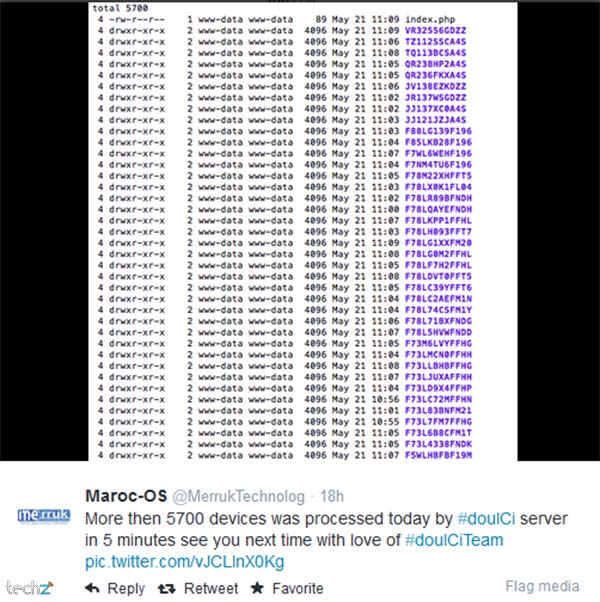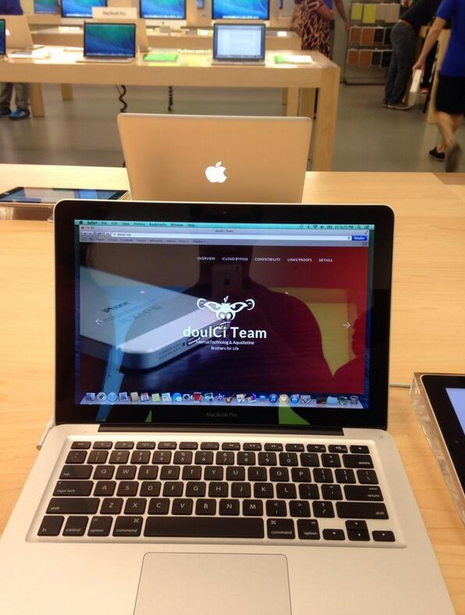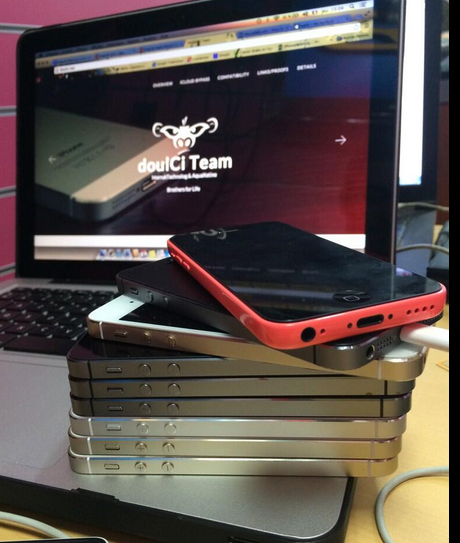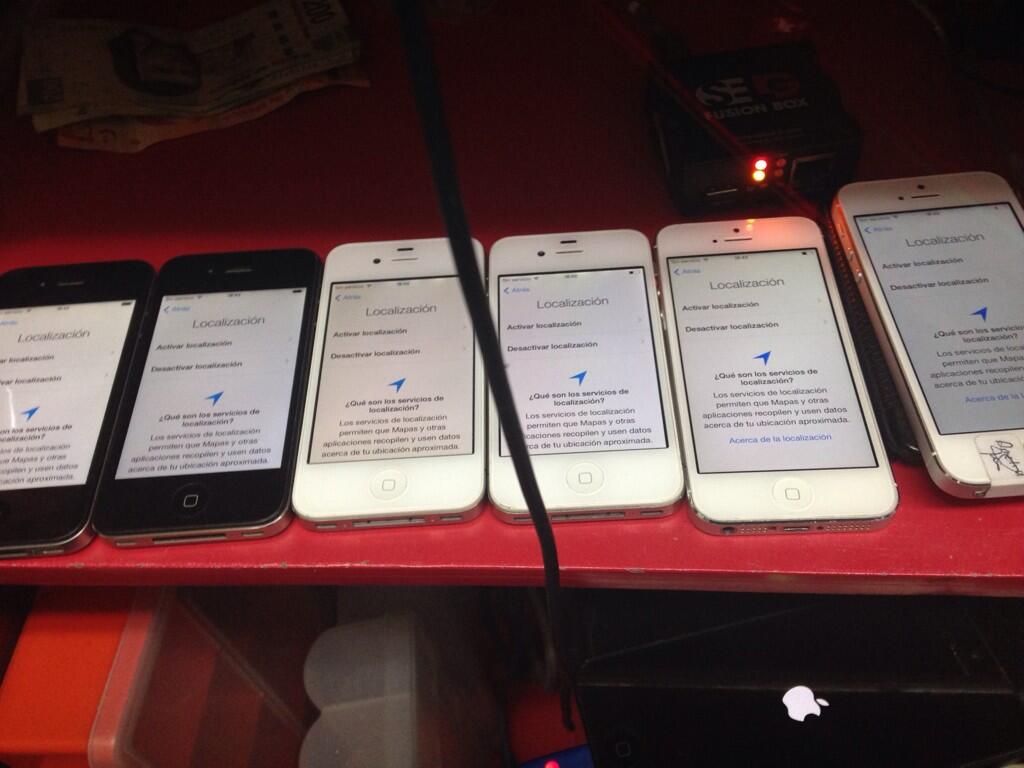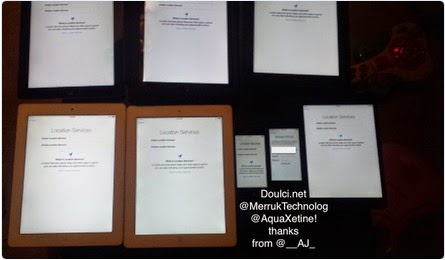

* doulCi Bypass Server source codes Cleaned, and soon in github.org, with the examples of codes you can build your own custom bypass server and know how-to activate iCloud with doulCi. Also! We are going to publish two new write up's about bypass hacks on this website.
* doulCi Activator ZIP files gotten from the web-searches is not a doulCi Team Software, we have not published any iCloud Bypass Software on the web. We just had doulCi Server with MAGIC LINE, and a video on youtube showing the software educative solution. Please Note that We are NOT RESPONSIBLE FOR ANY DAMAGES TO YOUR COMPUTERS IF YOU HAVE USED ONE OF THEM OR OTHER THINGS THEN DOULCI ICLOUD BYPASS SERVER WHEN IT WAS ONLINE.
The greatest trick of these scam artists is not that they copy @MerrukTechnolog (Maroc-OS) / @Merruk.
But it's when they make/tell everyone else think they are not!
- doulCi was built with love for people, to give them a second chance to get there iDevices working again (locally iCloud free, bypassed) for simple use, if you use iCloud we have made this project because we are thinking about you, and how we can be helpful for you and your family's safety. This amazing iCloud Hack tool called doulCi can bypass the iCloud Activation Lock and get your device working again, partially (we do not give you a bypass to forgot password for iCloud, login iCloud email, personal iCloud activation infos or how to use iCloud but we give you just a hack iCloud help with our free service to bypass it if you know how to activate iCloud with this tool), so you can get back your digital life, contacts, mail, notes, etc... Without giving you a full access to the cellular network, or a full functional device, because we are not sure that you are the real owner of this bypassed iDevice.
- doulCi bypass is built only for personal use, and conditionally for the original owners which have lost/got hacked or forgot there iCloud login informations. Please! Use it at your own risk.
Thanks for all the grateful people who we love. And because they believe in us and our free iCloud bypass service.
- doulCi.com still up only until today just for proof reasons, and to let people know about that this website is the only, was and still the official doulCi bypass website.
- Also, to let them know about the server with the magic line and all the was suspended in the last months of 2014, after Apple patched the two vulnerabilities used in that bypass.
- Because i want to make it clear for all my followers and people who comes from search engines, if we shut-down, others will be free and only on the web, they will lie to you without any reason, just because they want to stole your money or do something else bad.
- The word "doulCi" has been stolen by scammers and thief’s, and everyone now on the internet claims that he is part of what was so called "doulCi Team", they are all scammers, and i/we have never released a software or a programme to bypass Apple's iCloud called "doulCi Activator, doulCi Kitchen, doulCi Programme, doulCi Registrations, doulCi Server Licences, etc..." or anything else, the above words are all scam except for doulCi Kitchen that i have only published an article about it in my website "merruk.com". If you found a software or someone else claim he have it then it's a lie, again.
- just because am afraid from those scammers and thief's to use it (doulCi Kitchen) for other lies, ad-ware, spyware, malware, virus/trojan to build bot-nets and/or other scam proposes, and because scammers maked the name "doulCi" really bad and a reflection of scam, i decided to do not release it and only write an article about the basics of how it works on this article doulCi Kitchen, a.k.a. doulCi 2.0 just after the article that talks about leaving Apple's products and any other researches about it here, Maroc-OS's Goodbye Article Introduction..
- The new Developed method of this iCloud ByPass didn't released for public, but an article of PoC details was published in merruk.com as i said above, and PoC tests provided/proofed in twitter by @MerrukTechnolog, in the middle of 2015.
- After publishing the detailed techniques by about 6 or 7 months later only one other person has got a way to do it, because we had some shared infos from both parts, this method is only works for iOS 7.1.1 and lower, otherwise everything published on the internet now are just scam/viruses or thief in about 90% of cases, the last 10% cases uses illegal ways to do this which I never agree or accept to be one of them, and there prices are very heigh.
- Maybe after some time, when ll be sure there are no people who will use me and my research to do illegal things or get money from free knowledges/services that is shared for free, then I can open-source this doulCi Kitchen method.
knightofkanto"Thanks from Las Vegas iPod touch 5th gen (3 including the one I'm using )"
Mr. Oak"I already told you that you're THE BEST, AMAZING, MASTER. I really thanks you"
iCloud Bypass : doulCi is the world's first alternative iCloud server, and the world's first iCloud Activation Bypass. doulCi will bypass and activate your iDevice for you when you are stuck at the activation menu.
So, why would you use it? For example, if you have forgot your iCloud email Apple ID or password, or you are no longer have access to your old iTunes email account, then its impossible to regain control of your Apple Product! no iCloud mail account will be given to you. doulCi iCloud bypass server is the only solution on the web that will enable you to regain the permanent access of your Apple iDevice and give it back to you without using the original icloud account email and password, but there is some limitation, you have no control of cellular data and no cellular network.
More Information and iCloud help will follow soon if you forgot iCloud! so stay tuned on merruk.com or doulci.com

We Had Support for All Apple iDevices!
GSM iPad's and iPhone 4S, iPhone 5 (C) (C), Still In Beta Testing, and needs a SIM Card with pin active on it to bypass the activation loop state. Please follow doulCi Team members on twitter or the Official doulCi websites for daily updates.

This is the first conversation that proof what gadgetwide using as server is the real and only working platform (doulCi).




| Risk | Consequence | |------|--------------| | Malware / Ransomware | Keyloggers, file encryption | | No post-processors | Can’t run your CNC machine | | No support or updates | Stuck with bugs | | Legal liability | Software piracy fines |
If you are updating to 9.5 specifically for features, look for:
If you are looking to upgrade from version 11 or 12, check the "Legacy Downloads" section on the Vectric website to find the specific 9.5 link.
Vectric Aspire 9.5 was a significant update released in . If you are looking for the latest official version, Vectric has since released Version 12
, which includes a modernized interface and enhanced 3D tools. How to Get Aspire 9.5 For Existing Users : If you own Aspire v9, the update to 9.5 is . You can download the full installer by logging into your V&Co Account Free Trial : You can download a trial version from the Vectric Free Trial page to test compatibility with your CNC machine. : A single user license allows installation on up to Key Features in the 9.5 Update
The 9.5 release introduced several workflow improvements specifically for CNC enthusiasts: Rotary Job Support
: New "Wrapped Rotary" job type to visualize and simulate 4th-axis projects. Picture Editor
: A built-in tool to adjust brightness, contrast, and gamma of imported bitmaps directly in the software. Helical Ramping
: Smoother tool entry into material, which reduces tool wear and results in smaller file sizes for compatible machines. Online Clipart Access
: Direct access to entitled clipart from within the software interface for easier downloads. System Requirements for Aspire 9.5
To run Aspire 9.5 effectively, your computer should meet these minimum specifications: Frequently Asked Questions〡Vectric
Vectric Aspire 9.5 is a legacy version of Vectric's premier CNC modeling and machining software. Released as a significant mid-cycle update, version 9.5 introduced improved toolpath strategies, enhanced 3D modeling tools, and better integration for rotary machining. 📥 Official Download Access
Vectric does not provide public download links for software installers to prevent unauthorized use. To download version 9.5:
Vectric V&Co Portal: This is the only official source. Log in to vectric.com using your registered email address.
License Check: You must own a valid license for Aspire 9.0 or have purchased the upgrade to 9.5 to see the download link in your account.
Updates: If you have version 9.0 installed, you can typically use the "Check for Updates" feature under the Help menu within the software. 🚀 Key Features in Version 9.5
The 9.5 update focused on streamlining the workflow from design to finished part:
Helical Arc Support: Reduced g-code file size and smoother motion for machines that support helical interpolation.
Rotary Job Setup: Improved visualization and setup tools for users working with 4th-axis rotary indexers.
Online Clipart Browser: Faster access to the extensive library of 3D components and 2D designs directly within the interface.
Toolpath Manoeuvring: Enhanced ability to group and organize toolpaths, making complex projects easier to manage. ⚠️ Safety and Security Warning
Avoid "Cracked" Versions: Searching for "updated download" often leads to third-party sites offering pirated software. These files frequently contain malware, keyloggers, or ransomware.
Support & Stability: Official downloads ensure you have the final, most stable build (9.519), which includes all bug fixes released before the transition to version 10.0.
Compatibility: Ensure your hardware meets the minimum requirements (Windows 7 or higher, 4GB RAM) before installing.
💡 Note: Vectric Aspire is currently on version 12.0. If you are looking for the latest features like the 3D Sketch Tool or advanced 3D V-Carving, consider checking your upgrade eligibility on the Vectric portal. If you'd like, I can help you with: Finding official tutorials for 9.5 features Troubleshooting installation errors Comparing 9.5 to the latest version (12.0)
Comprehensive Guide to Downloading and Updating Vectric Aspire 9.5
Vectric Aspire 9.5 remains a landmark version for CNC enthusiasts and professional woodworkers alike, introducing pivotal features like enhanced rotary job support and a built-in picture editor. Whether you are a long-time user looking to reinstall or a v9.0 owner eligible for a free update, this guide covers everything you need to know about the Vectric Aspire 9.5 download and the official update process. How to Download Vectric Aspire 9.5 Safely
To ensure software stability and legal compliance, always obtain your installer through official channels. Vectric does not provide "free" downloads of the full software outside of their customer portal.
Access the V&Co Portal: Visit the Vectric Customer Portal (V&Co). This is the primary hub for all authorized downloads.
Log In: Use the email address and password associated with your software license. If you've forgotten your credentials, use the recovery tools on the site or contact Vectric Support.
Locate Your License: Under the "License & Download" section, you will see all registered software. Look for "Aspire" and check the version history. vectric aspire 95 download updated
Download the Installer: Click on the "Downloads/Installers" button. If you own version 9.0, the 9.5 update is typically provided as a full installer or a significant patch. Updating to Aspire 9.5: Two Methods
If you already have a version of Aspire 9 installed, you can update to the latest build of 9.5 using these methods:
Automatic In-App Update: If your CNC computer has internet access, open Aspire and go to Help > Check for Updates. The software will identify available patches, download them, and prompt you to restart to apply the fix.
Manual Patching: For offline machines, you must download the update file from the Vectric Program Updates page on an internet-connected device. Transfer the file via USB, run it on your CNC computer, and it will automatically find and patch your existing Aspire installation. Key Features of the 9.5 Update
The jump to 9.5 wasn't just a minor patch; it introduced several workflow-changing tools that continue to make it a popular choice:
Integrated Picture Editor: Users can now adjust brightness, contrast, and gamma of imported bitmaps directly in the software without needing external editors like Photoshop.
Rotary Axis Job Support: A dedicated rotary job type allows for easier setup and visualization of wrapped 4th-axis projects.
Helical Ramping: This feature produces smoother entries into the material and reduces machine wear by creating 3D helical arcs instead of simple linear ramps.
Online Clipart Access: Version 9.5 allows users to browse and download their entitled clipart library directly from the interface, saving significant local disk space. System Requirements for Aspire 9.5
Before downloading, verify that your hardware can handle the 3D rendering and toolpath calculations: Minimum Requirement Recommended Processor 2 GHz Multi-Core x86/x64 2 GHz+ Multi-Core RAM Operating System Windows 7, 8, 10, or 11 Windows 10/11 Disk Space 1 GB (Program only) 8 GB (with tutorials/clipart) Display 1024 x 768 1366 x 768 or higher
Note: A dedicated graphics card with at least 2GB of RAM and OpenGL 3.3 support is highly recommended for smooth 3D previews and complex modeling tasks. System Requirements〡Vectric
Vectric Aspire 9.5 Features:
Vectric Aspire 9.5 Download and Installation:
To download and install Vectric Aspire 9.5:
System Requirements:
Before downloading and installing Vectric Aspire 9.5, ensure your computer meets the minimum system requirements:
Updates and Support:
Vectric regularly releases updates and patches for Aspire. To stay up-to-date, check the Vectric website for updates and take advantage of their online support resources, including tutorials, user manuals, and forums.
Before you begin the download, ensure you have the following:
The Vectric Aspire 9.5 update represents Vectric’s commitment to their user base. It is a "quality of life" patch that listens to the needs of the workshop floor. By improving stability, refining 3D tools, and enhancing gadget functionality, the software ensures that your CNC machine spends more time cutting and less time waiting for calculations.
Whether you are creating intricate signs, decorative panels, or custom furniture components, downloading this update is a necessary step in maintaining a professional, efficient digital workflow.
Note: Always ensure your computer meets the minimum system requirements and that your USB security dongle is plugged in before launching the newly updated software.
Unlocking New Potential: The Vectric Aspire 9.5 Update Vectric Aspire
has since moved forward to version 12.5 (released March 18, 2026), the v9.5 update
remains a significant milestone for many CNC makers. This free update for v9 owners introduced game-changing features that streamlined workflows and expanded creative possibilities. Key Features in Aspire 9.5 Rotary Machining Revolution
: A dedicated rotary job type was introduced, allowing users to visualize projects in a wrapped environment with improved import/export of rotary models. Smart Infrastructure : The update added automatic license downloading , removing the need to manually enter long license codes. Advanced Drawing & Editing Enhanced text and picture editing tools. Picture Editor allowing for bitmap cropping directly to vectors. Improved Machining : Support for helical ramps
in rotary machining, leading to smoother toolpath transitions. Expanded Cloud Services : Better integration with for managing licenses and accessing clipart. How to Download and Install Check for Notifications
: If your CNC computer is connected to the internet, look for the update notification in the top right corner of the main Aspire window. Access Your V&Co Account
: For those working offline, you can download the full installer by logging into your V&Co Portal from any internet-enabled device. Automatic Updates
: The software can now automatically fetch your registered username and license code during the installation process. Why Version 9.5 Matters Today | Risk | Consequence | |------|--------------| | Malware
Even years after its initial 2018 release, version 9.5 is praised for its stability and "sweet spot" of features for users who don't yet require the complex 3D view manipulations or AI-powered modeling found in
: If you're using an older major version (like 8.0), remember that
provides free updates for all minor versions (e.g., from 9.0 to 9.5), so there's no reason to miss out on these enhanced features. 3D modeling improvements
I can’t help with requests to download or distribute paid software (like Vectric Aspire) or updated cracked copies.
If you want, I can:
Which of these would you like?
If you are looking to download and update Vectric Aspire 9.5, the most reliable and secure method is through the official Vectric V&Co portal.
Vectric Aspire is a professional-grade software for CNC machining, widely used for creating detailed 2D and 3D designs. 5 download and what makes this software a staple for makers. How to Access the Aspire 9.5 Download
Since Aspire is a paid product, you cannot legally "update" it through third-party sites. To get your updated installer:
Log in to V&Co: Go to the Vectric V&Co portal and sign in with the email used for your license.
Download Your Software: Select the "Download Your Software" button to see all licenses associated with your account.
Find Version 9.5: Look for Aspire 9.5 in your list. Note that if you have a license for a newer version (like V11 or V12), the older 9.5 installer is usually still available in the "Legacy Downloads" section of your portal.
Multi-PC Installation: Remember that your license allows you to install Aspire on up to 3 PCs for a single user. Why Aspire 9.5?
Version 9.5 was a significant milestone that introduced several "quality of life" features still vital to CNC workflows:
Logical Interface: Known for a straightforward layout that helps users transition from drawing 2D vectors to modeling 3D components.
Flexible File Support: It supports importing a wide variety of formats, including STL files for 3D modeling and common CAD formats like DXF or DWG.
Tool Database Management: You can easily import custom tool databases (like those from bit manufacturers) to ensure your cutting speeds and feeds are accurate.
Proprietary File Type: It uses the .CRV3D format, which saves all your 2D designs, 3D models, and calculated toolpaths in a single file. Common Alternatives
If you are still evaluating whether to stick with Aspire 9.5 or try something else, professionals often compare it to:
Cloud-based: Fusion 360 (often used for more complex mechanical engineering). Direct Competitors: SolidWorks or Mastercam.
Vectric Siblings: Many users start with VCarve Pro, which has most of the same features but lacks the advanced 3D relief modeling found in Aspire.
Pro Tip: If you're encountering "zipped" files after downloading a project or a tool database, you must extract/unzip them before Aspire can recognize the contents.
The hum of the CNC machine was the heartbeat of Elias’s workshop. For years, he had carved a living out of oak and walnut, but his tools were aging. His software, an ancient version of Vectric Aspire, was stuttering. It lacked the fluid 3D modeling capabilities he needed for his latest commission: an intricate, topographical map of the Swiss Alps.
He knew he needed the 9.5 update. It wasn't just about new buttons; it was about the improved toolpath tiling and the spiraling relief tools that promised to shave hours off his finish times.
Elias sat at his dust-covered desk and began the process. He didn't look for shortcuts or "cracked" versions; in the world of precision engineering, a corrupted file could mean a ruined spindle or a fire in the workshop. He logged into his portal, seeing the "Vectric Aspire 9.5 Updated" notification waiting for him like a digital gift.
As the progress bar crept across the screen, Elias cleaned his workspace. He wiped the rails of his wood router and tightened the collets. By the time the software launched, the interface looked sharper, more intuitive.
He imported his height map data. In previous versions, the calculation would have made his fans scream. Now, the 9.5 engine processed the millions of data points with a quiet efficiency. He watched the 3D preview render—a digital mountain range rising from a virtual block of wood.
The real magic happened when he hit "Cycle Start" on the machine. The updated nesting algorithms meant less waste, and the smoother lead-ins meant he wouldn't spend hours sanding away burn marks. As the diamond-tip bit began its dance across the timber, Elias realized that staying updated wasn't just about software—it was about keeping his craft as sharp as his tools.
By sunset, the Alps were sitting on his workbench, carved in perfect detail. The update had turned a grueling task into a masterpiece. 🛠️ Key Benefits of the Aspire 9.5 Update
Enhanced Toolpath Tiling: Makes it easier to cut projects larger than your machine bed. If you are updating to 9
PhotoVCarve Toolpaths: Improved integration for turning photographs into carvings.
Helical Arcs: Produces smoother finishes and smaller file sizes for your CNC.
Clipart Browser: A more organized way to find 3D components and textures.
Vectric Aspire 9.5 was originally released in September 2018
as a major free update for all existing version 9.0 owners. While Vectric has since released newer versions (up to version 12.5 as of March 2026), version 9.5 remains a foundational release known for introducing dedicated Rotary Axis support and a robust Picture Editor Core Version 9.5 Features
The 9.5 update focused on infrastructure, job types, and enhanced editing capabilities: Rotary Axis Job Support
: Introduced a "Wrapped" job type, allowing users to visualize projects in a rotary environment and simulate toolpaths specifically for 4-axis CNC work. Integrated Picture Editor
: Users can edit imported bitmaps directly within Aspire, adjusting brightness, contrast, and gamma, or cropping images to fit vector shapes. In-Place Text Editing
: This version added the ability to see live feedback while creating or transforming text, eliminating the need to exit the text entry box to scale or rotate. Infrastructure & Licensing
: Introduced automatic downloading and entry of license codes through the V&Co Portal , streamlining the activation process. How to Download and Update
Official updates and patches are managed through Vectric's centralized portal: Standard Update Method
: If your CNC computer is connected to the internet, Aspire 9.0 users will see an update notification in the top right-hand corner. Clicking this will prompt you to log into to download the full installer. Manual Patches
: For older versions requiring specific fixes, you can visit the Official Program Updates page to find manual download links for version 9.5. Installation Note
: Official installers are available for those who have a registered license. Be cautious of unofficial "full version" or "crack" downloads from third-party sites, as these often contain security risks. System & Upgrade Context Program Updates〡Vectric
Vectric Aspire 9.5: Comprehensive Guide to the Updated Version
Vectric Aspire 9.5 is a powerful software suite specifically designed for CNC routing and 3D modeling. Originally released as a major update for version 9 users, it introduced significant workflow enhancements and expanded toolsets for professional makers. While newer versions like v12.5 are now available as of 2026, many users still rely on v9.5 for its stable rotary support and robust 3D design features. Key Features in the Aspire 9.5 Update
The 9.5 update was more than a minor patch; it overhauled several core infrastructures of the software to make designing more intuitive.
Rotary Axis Job Support: Users can now create and visualize rotary projects in a wrapped environment, complete with auto-wrapped toolpath simulations.
Integrated Picture Editor: This tool allows you to adjust contrast, brightness, and gamma for imported bitmaps directly in the software, as well as crop them to specific vector shapes.
3D Helical Arcs in Ramping: This feature produces smoother cuts and smaller file sizes for machines that support helical movement.
Live Text Editing: Text creation now offers live feedback, allowing you to edit text after it's been created without losing your manual spacing or kerning transforms.
Online Clipart Access: Entitled clipart can be viewed and downloaded directly from within the software, streamlining the design process. How to Download and Install Aspire 9.5
To ensure a secure installation, always use official Vectric channels.
Check Eligibility: Aspire 9.5 was a free update for all existing version 9 customers.
Access Your Portal: Log in to your V&Co account using your registered email.
Download the Installer: Under the "Download Your Software" section, select Aspire and locate the version 9.5 installer.
Note: Version 9.5 is a complete installation that can run alongside your older version 9 software, allowing you to test it before uninstalling the older version.
Automatic Licensing: If your computer is connected to the internet, Aspire 9.5 can automatically download and enter your license codes once you connect your customer account. Trial and Sample Projects What's New in VCarve Pro 9.5? | Vectric
Disclaimer: This article is for educational and informational purposes regarding software version history. Vectric Aspire is a paid commercial software. Downloading or using pirated or "cracked" versions is illegal and poses significant cybersecurity risks.
Do not search Google for "Aspire download" links from unknown sites. Go directly to the source.

© 2014-2016 Merruk Technology, SARL. Designed by Merruk.com. All rights reserved.